Before the season
Decide what to grow, where to put it, and how the layout might change next year.

LEAFORY ORGANIC / FIRST-PARTY CASE STUDY
DNAction built two Leafory tools around two different decisions. Garden Planner helps growers decide what goes where before the season. GrowOS helps them see what needs attention during the grow.
See the product screens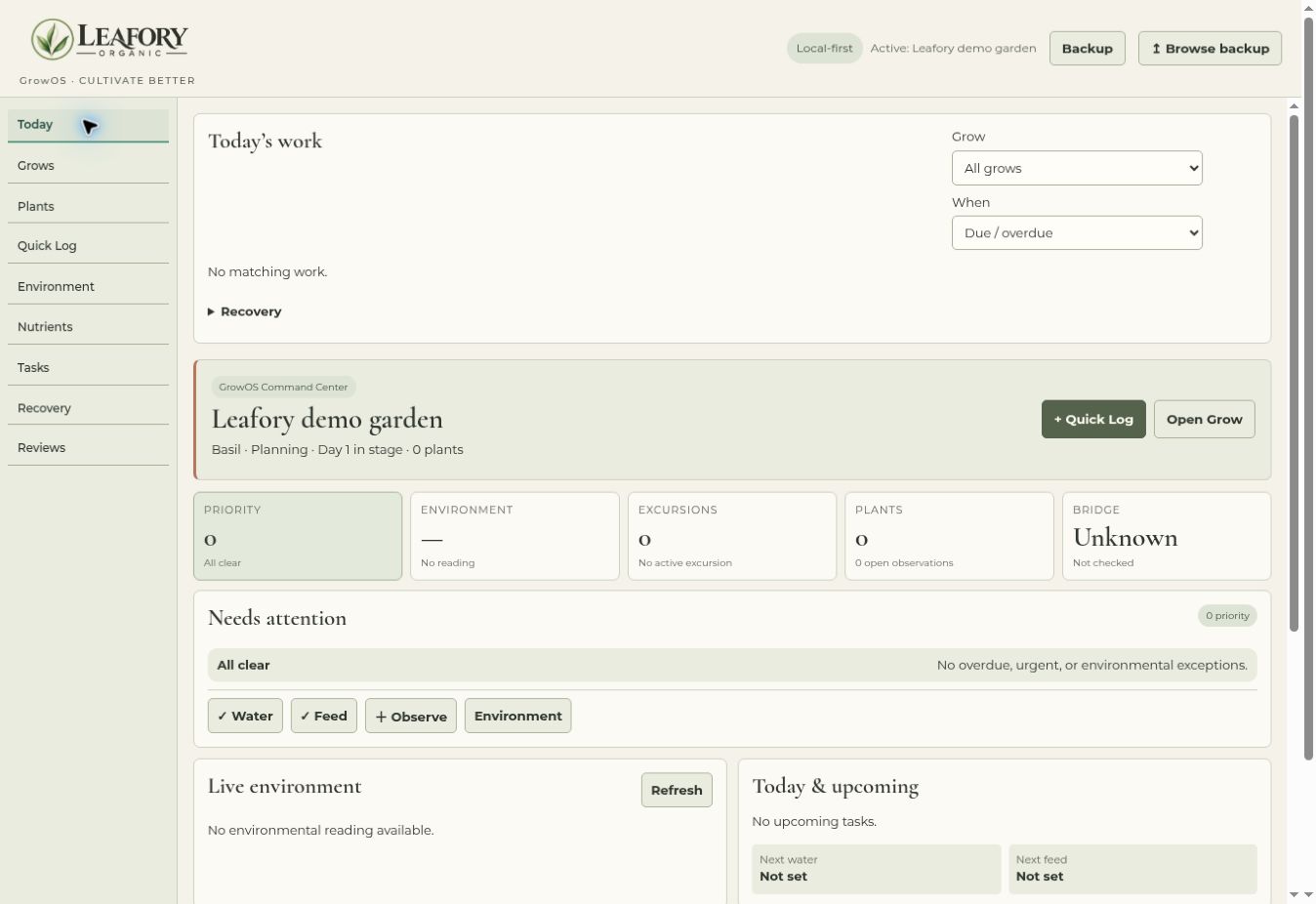
THE CHALLENGE
A grower planning the season is thinking in beds, planting dates, and crop rotation. Once plants are growing, the questions get more immediate. What needs attention today? What’s coming up? What conditions were last recorded?
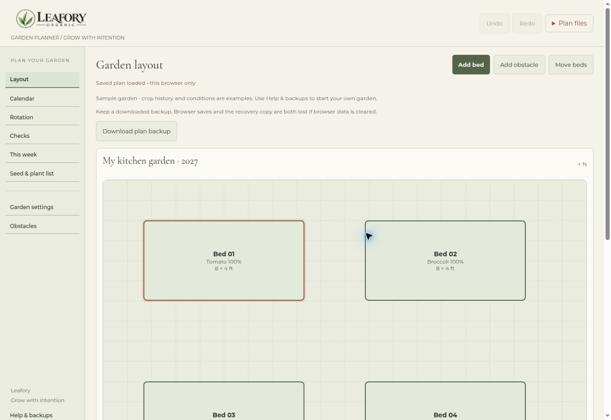
Decide what to grow, where to put it, and how the layout might change next year.
Decide what to check next and see what work is already on the schedule.
WHAT DNACTION BUILT
01 / SEASONAL PLANNING
Draw beds and obstacles in a visual layout, review the planting calendar, and preview next season’s crop rotation before applying it to the plan.
02 / DAILY OPERATIONS
Open the Today workspace to review priorities, plants to watch, upcoming work, and the latest recorded environmental conditions.
PRODUCT EVIDENCE
WHAT THE PROJECT DELIVERED
Someone laying out a garden can start with Garden Planner. Someone managing an active grow can start with the GrowOS Today workspace. Leafory’s website gives visitors a way into either workflow.
DELIVERED CAPABILITIES
The product screens show delivered functionality. Adoption and time savings have yet to be measured for this case study.
DNACTION’S CONTRIBUTION
DNAction built the first-party Leafory product experiences and the website paths that introduce them. This case study covers Garden Planner and the GrowOS Today workspace, with sample workspaces used to illustrate the flows.
START WITH YOUR WORKFLOW
Tell us what your team needs to plan ahead and what they need to see or do every day.