
Performance management
DNA KPI
Give every measure a next action.
Put results, targets, and owners in one review so your team can see what changed and decide what to investigate.
Workflow walkthrough
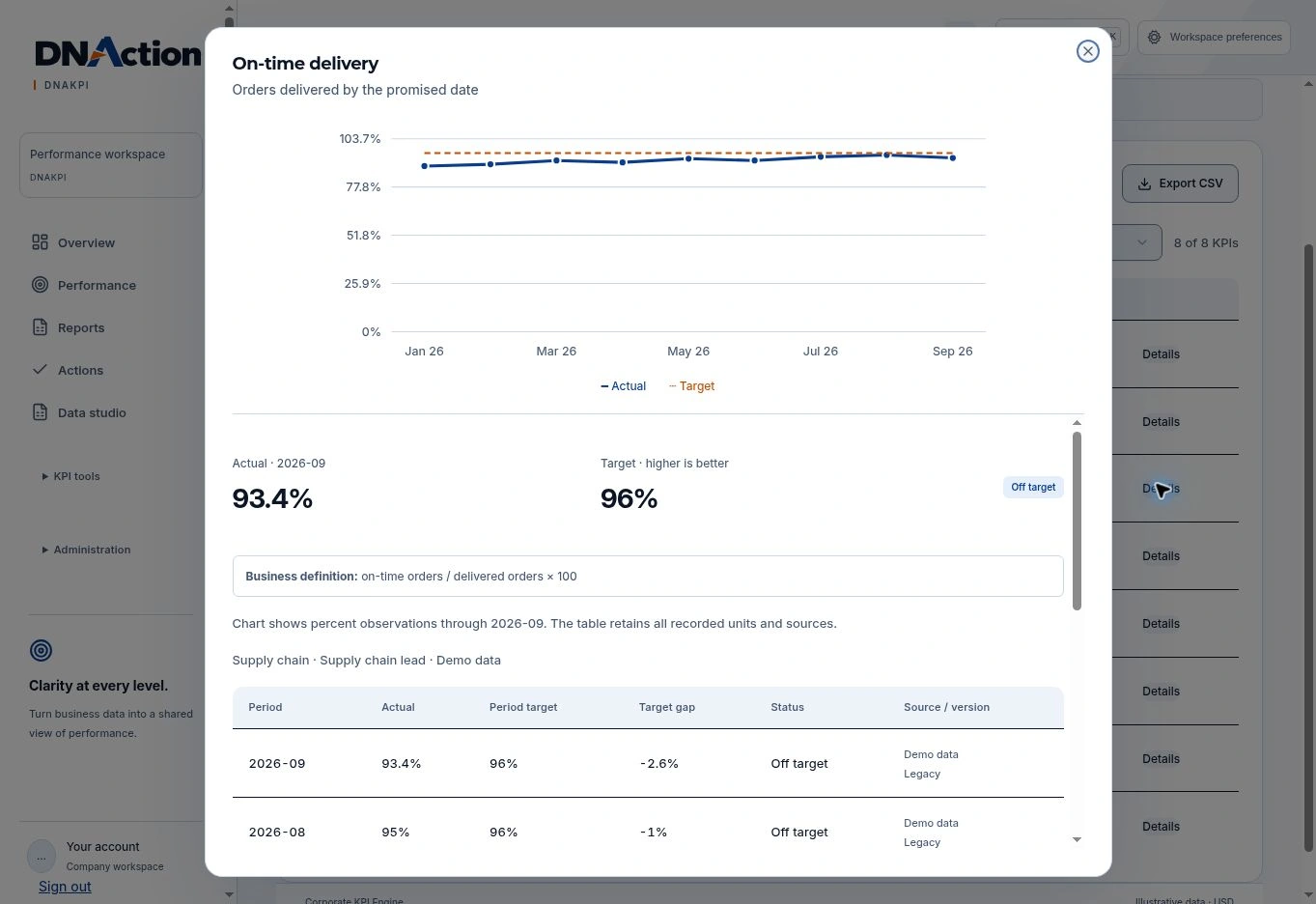
On-time delivery missed its target.
Open each step to see the decision and the product screen behind it.Each step opens as you reach it. You can also open or close any step.
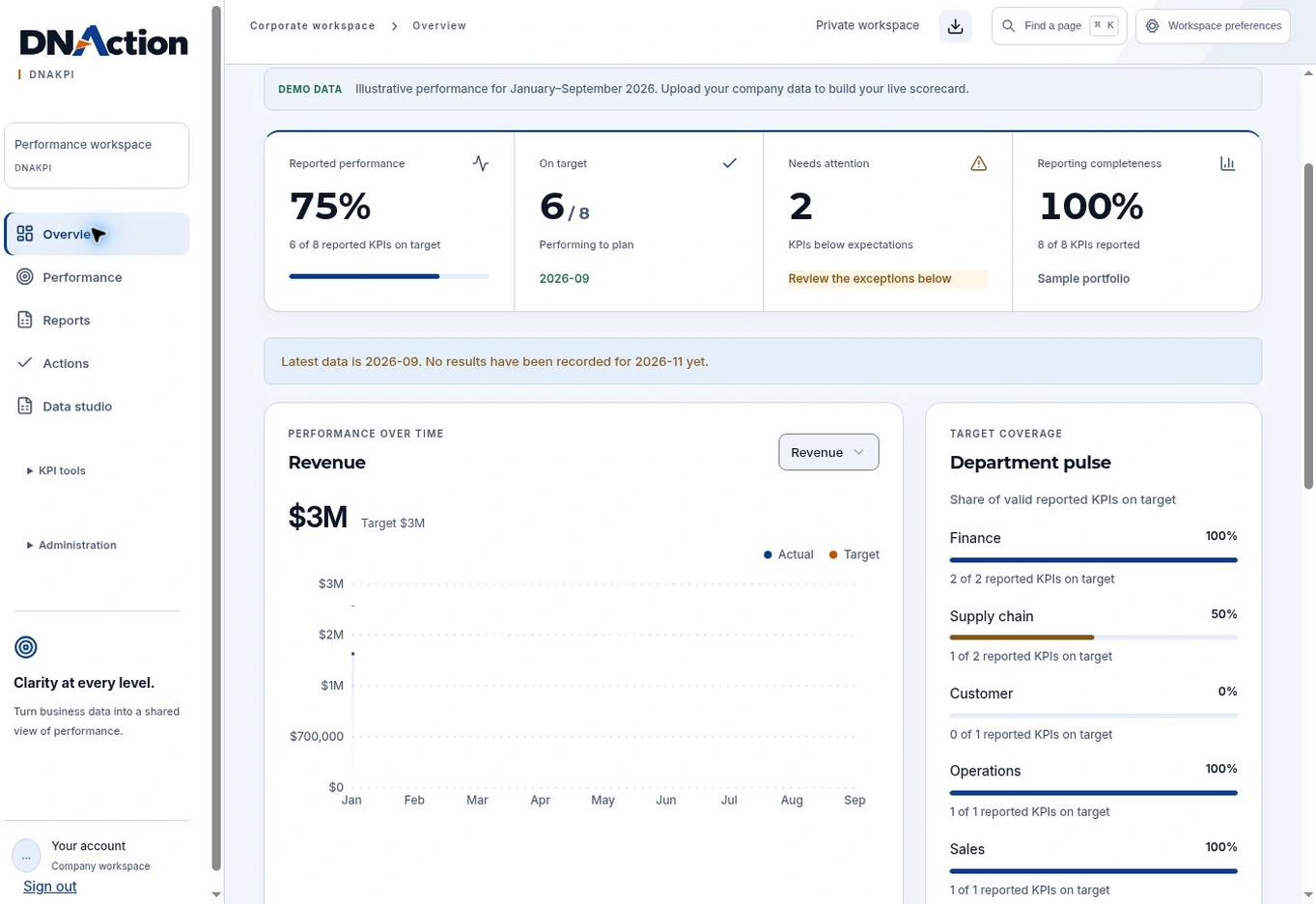
01Review reporting coverage
Check which results are available and distinguish missing reports from measures that are off target.
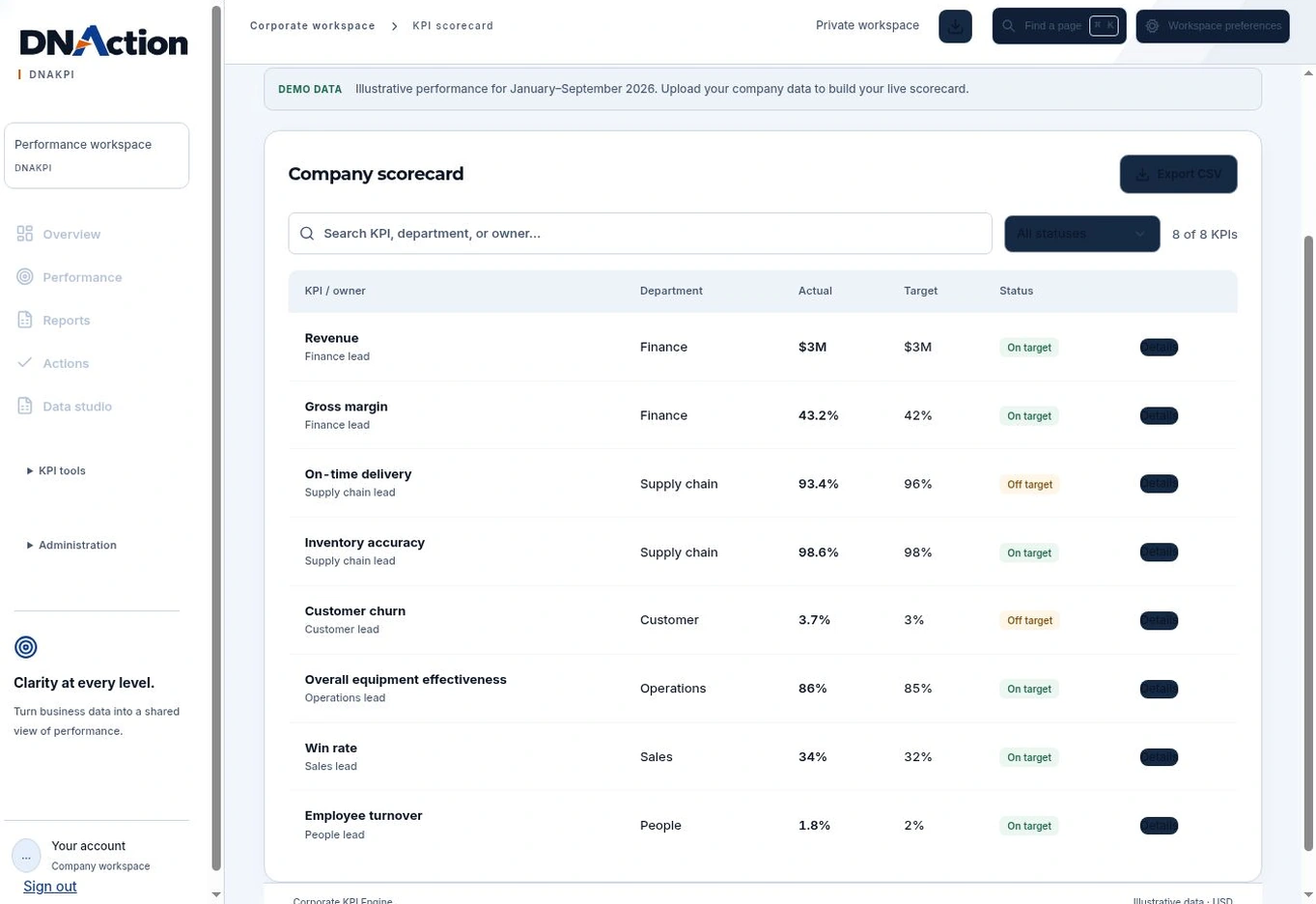
02Find the gap to target
Use the company scorecard to compare the recorded result, its target, and its owner.
03Inspect the trend
Open the on-time delivery measure and use the trend to decide what needs follow-up.
Additional interface walkthrough
This earlier recording provides more context. The screens above show the current interface.
Evaluate the fit
Start with one real example.
Bring a recurring measure, its source, and the decision your team needs to make when the result moves.